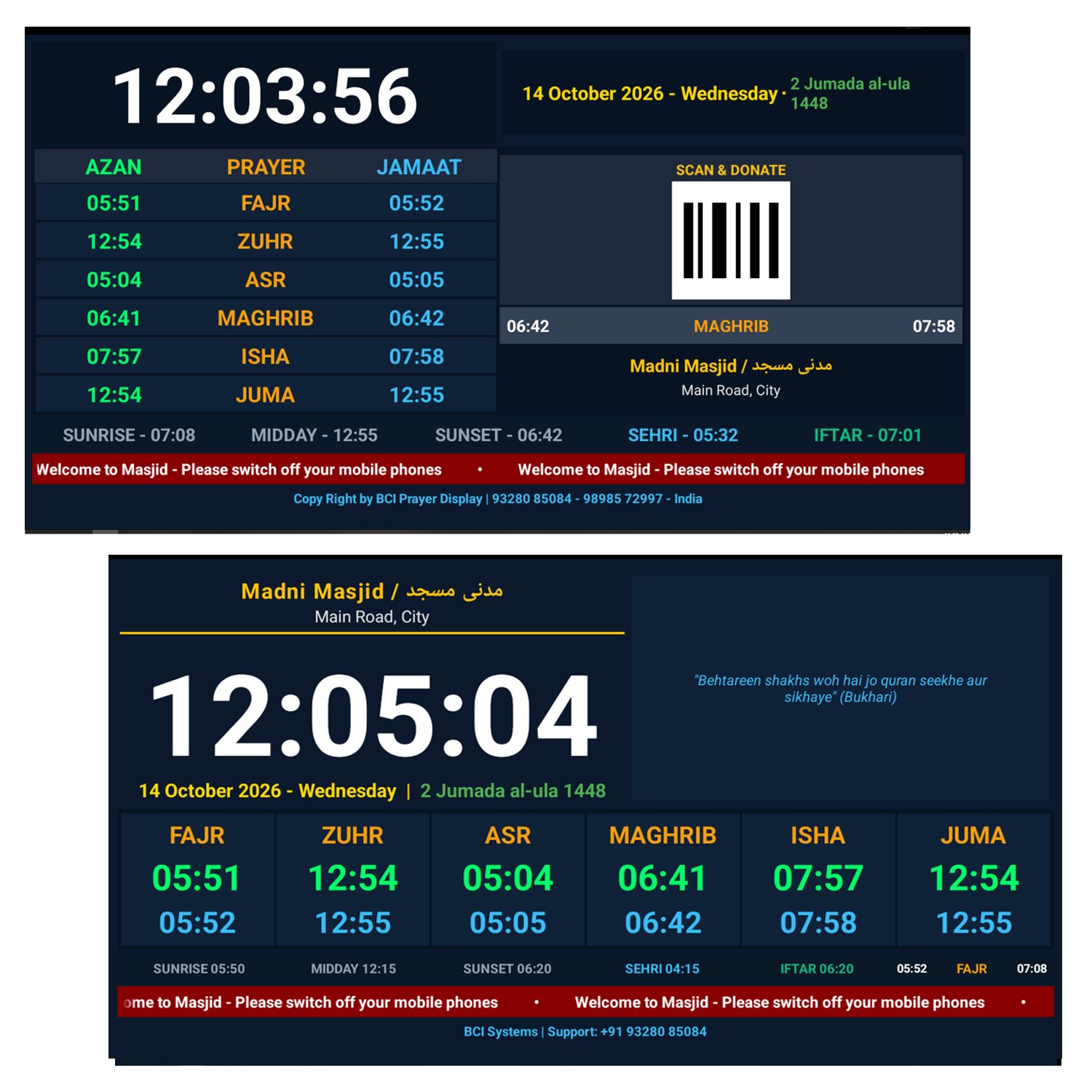
Description
“Masjid Prayer Screen App | Free Trial for 3 Days”
🕌 Masjid Prayer Display App for Android TV & LED Screens
Smart Digital Namaz Timing, Iqamah Countdowns & Announcement System for Mosques & Islamic Centers
⚡ Transform Any Android TV / LED Screen into a Smart Digital Prayer Board
Streamline mosque prayer schedules, keep your musallies informed, and manage Jamaat timings effortlessly with the most advanced, customizable, and user-friendly digital display software.
🌟 Why Choose Masjid Prayer Display?
-
Plug & Play Setup: Works seamlessly on any Android Smart TV, Android TV Box, or Fire TV Stick.
-
100% Offline Capability: Operates 24/7 smoothly without needing an active internet connection once configured.
-
Smart Web Admin Panel: Control timings, themes, and announcements wirelessly using your Mobile Phone, Tablet, or Laptop via Wi-Fi.
-
Zero Maintenance: Auto-calculates accurate prayer times based on global juristic methods.
✨ Key Features & Capabilities
🌐 1. Multi-Language Localized Display (8 Languages)
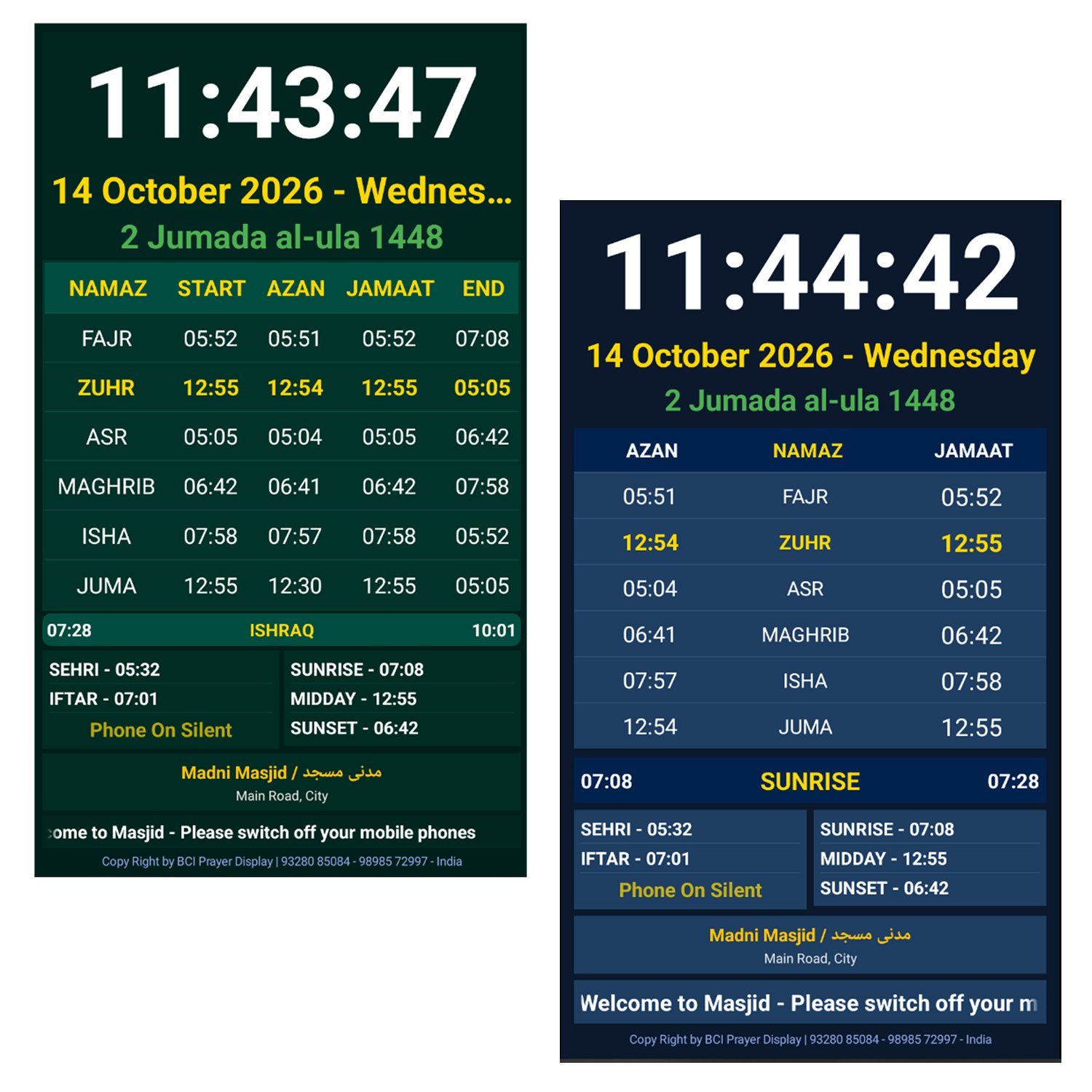
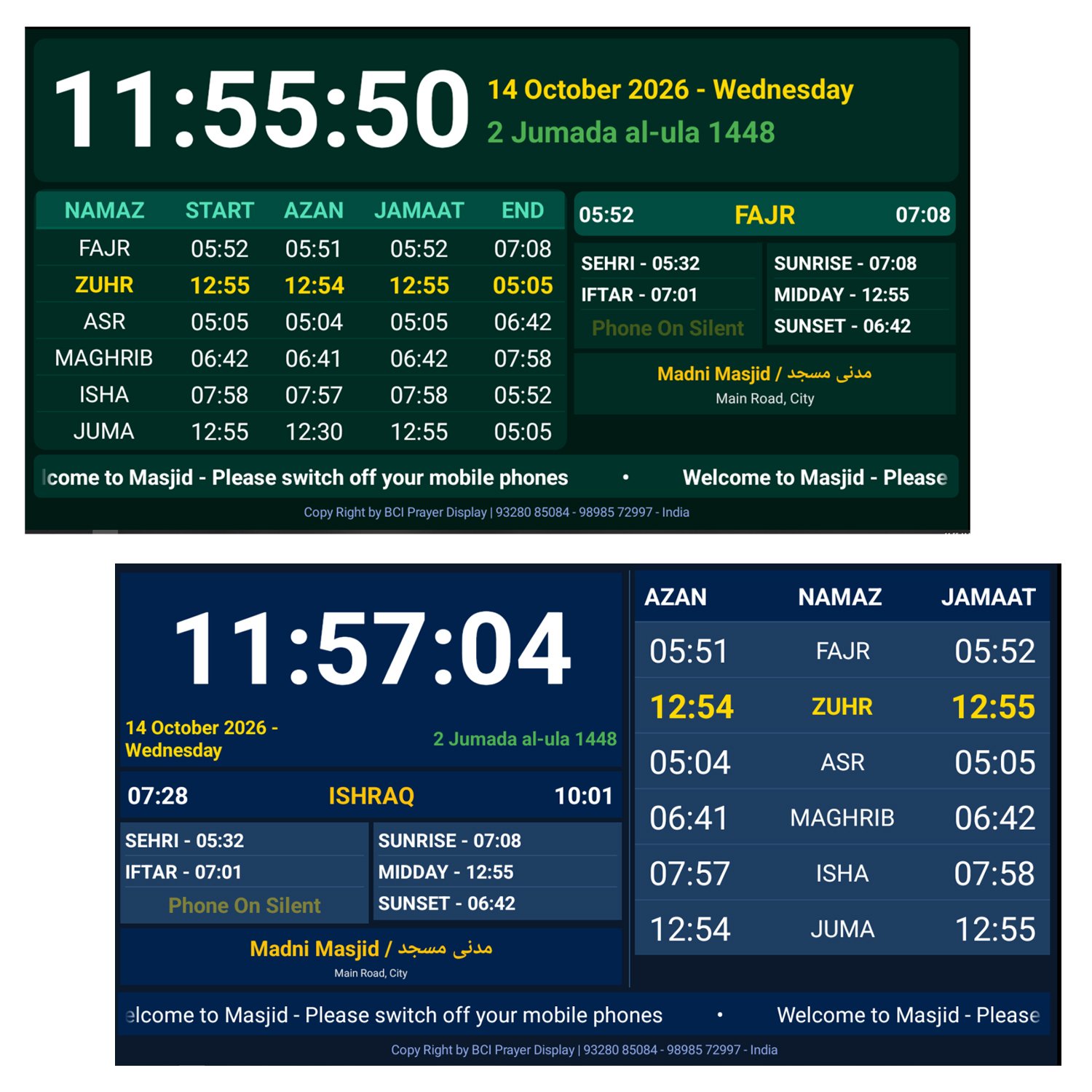
Full UI localization with localized prayer names, headers (NAMAZ, START, AZAN, JAMAAT, END), and date formats in 8 major languages:
-
English | Urdu (اردو) | Arabic (عربي) | Hindi (हिंदी)
-
Gujarati (ગુજરાતી) | Bengali (বাংলা) | Tamil (தமிழ்) | Telugu (తెలుగు)
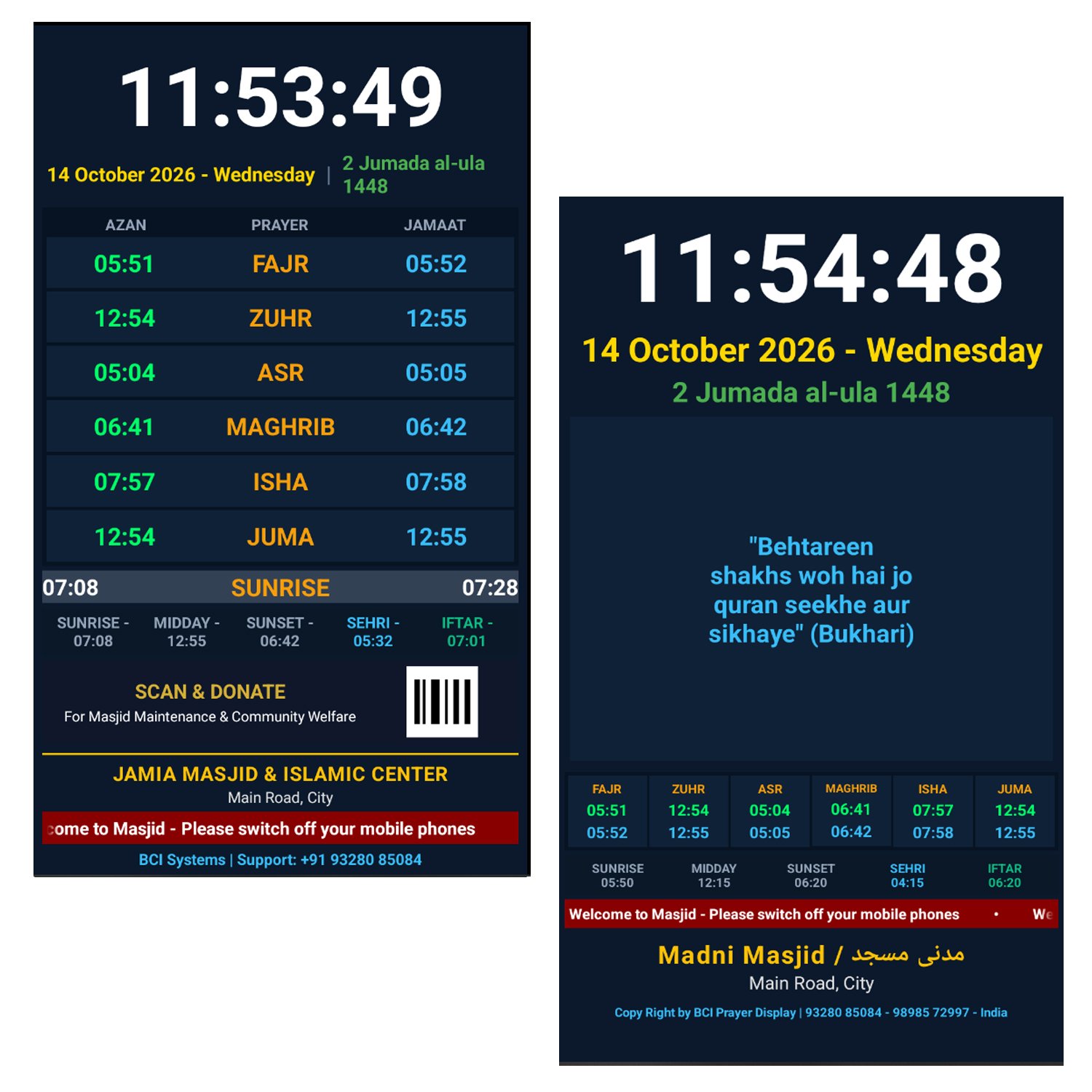
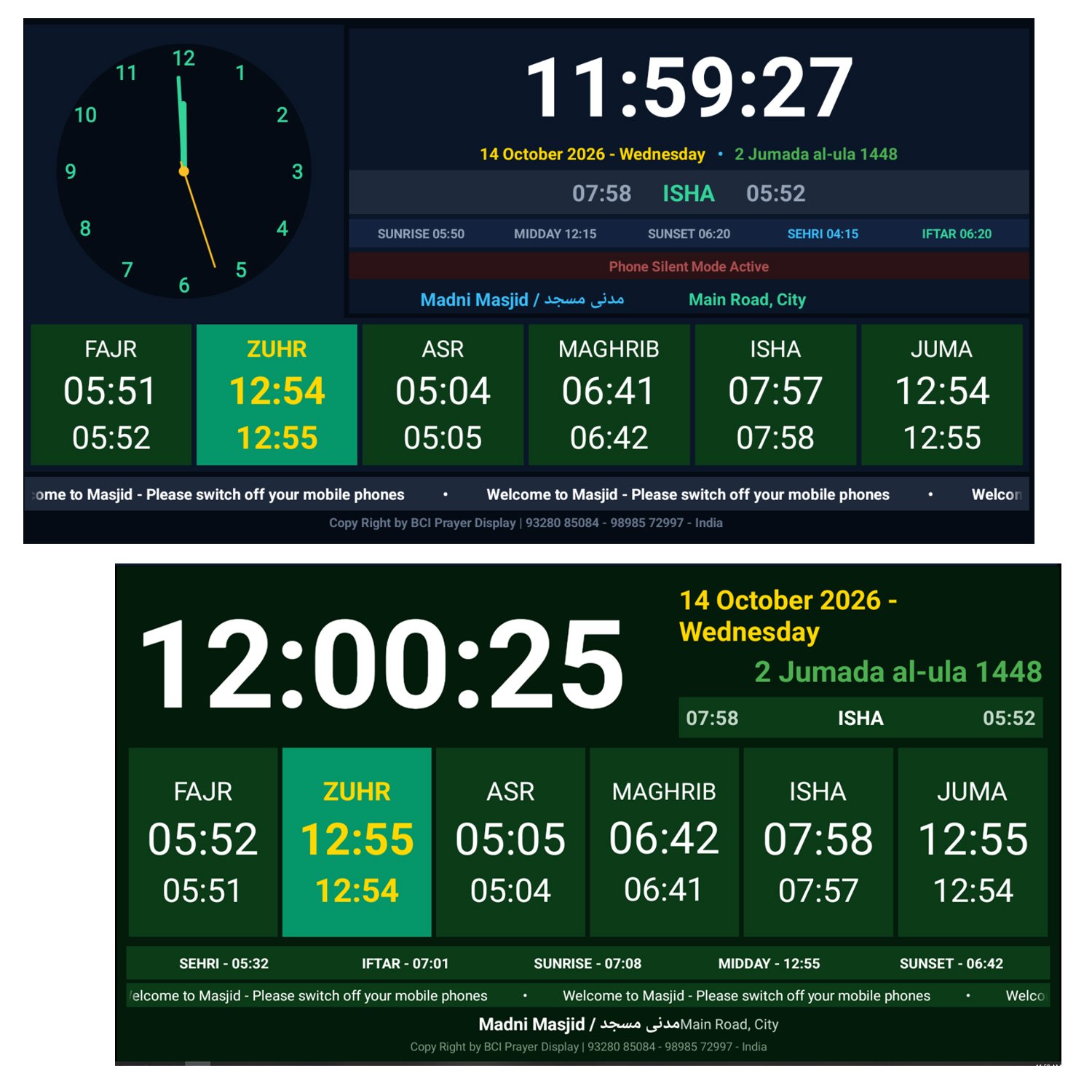
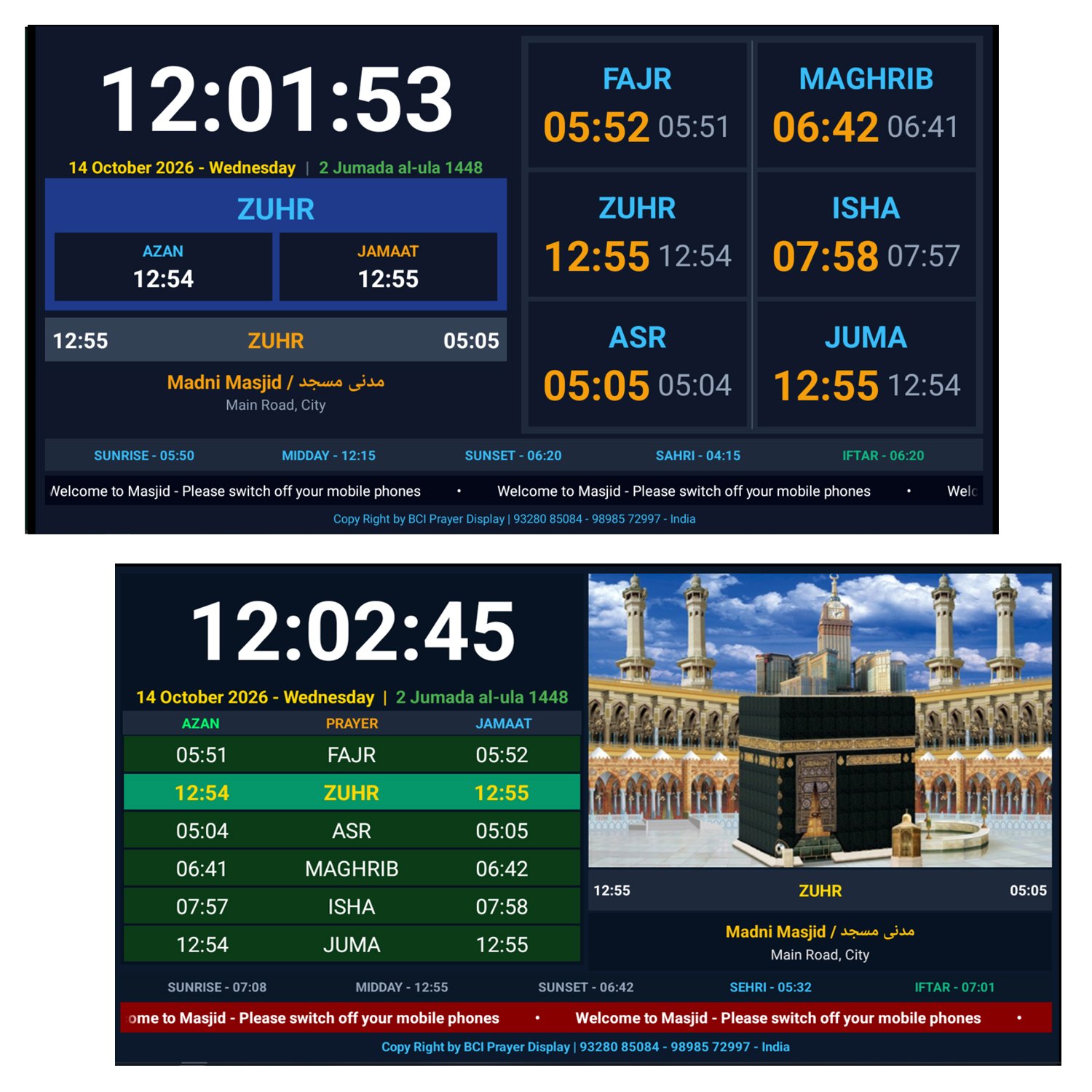
📺 2. 16 Premium HD Themes (Horizontal & Vertical)
-
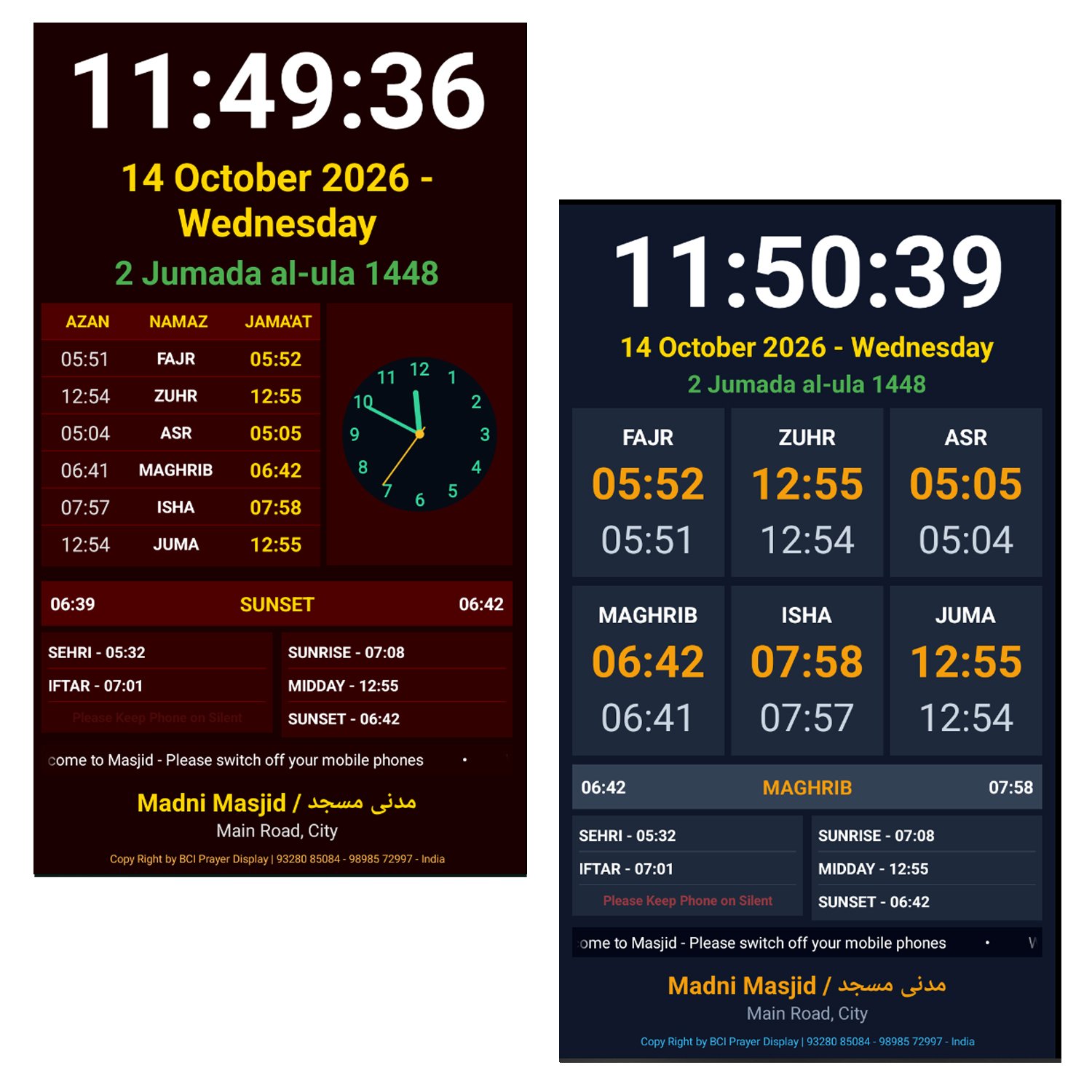
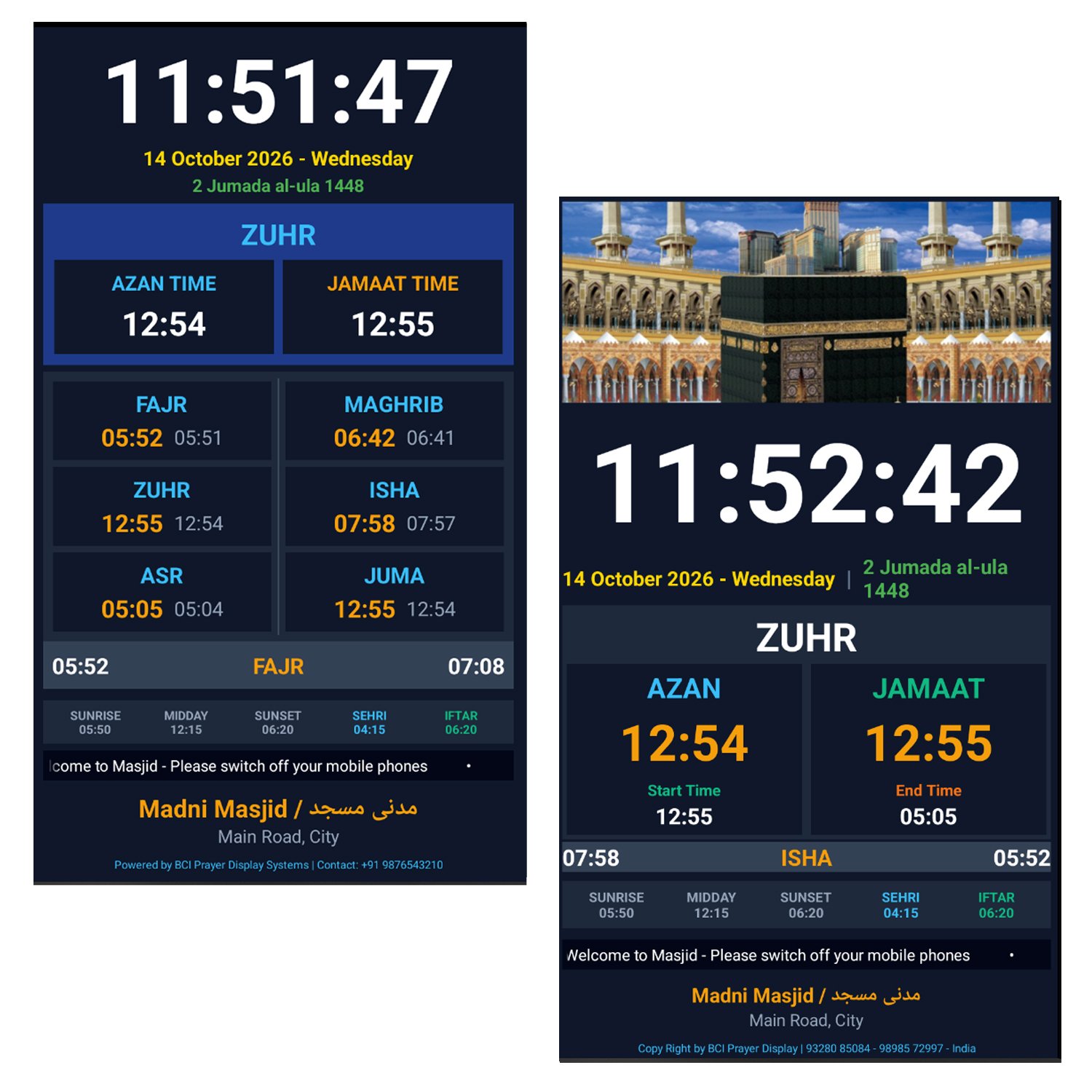
Includes 8 Landscape (16:9) and 8 Portrait (9:16) high-definition themes.
-
Built-in 32dp Overscan Safe-Area Protection ensures no text gets cut off on any TV or LED screen boundary.
🌐 3. Wireless Web Admin Control Panel
-
Manage everything wirelessly over local Wi-Fi from any browser (Chrome, Safari, Edge).
-
Update Jamaat timings, change themes, update notice banners, and adjust settings instantly without touching the TV or remote.
⏰ 4. Smart Prayer Time Calculation Engine
-
Global Calculation Methods Supported: Karachi, ISNA, Muslim World League, Makkah (Umm Al-Qura), Egypt, Tehran, and Jafari.
-
Asr Juristic Methods: Hanafi (2nd Shadow) & Standard (Shafi / Maliki / Hanbali).
-
Auto & Manual Modes: Use auto-calculated times or manually override exact minutes per prayer as needed.
-
Jamaat & Azan Smart Offset: Custom countdown timers and smart rounding minutes for Azan and Jamaat.
🎨 5. Custom Typography & Theme Color Controls
Personalize text colors across 15 vibrant color shades while keeping your settings intact even when switching themes:
-
Main Digital Clock Color
-
Gregorian (English) Date Color
-
Hijri (Islamic) Date Color
-
Scrolling Notice Banner Text Color
🌙 6. Dynamic Hijri Calendar & Moon Sighting Adjustment
-
Live Hijri Date display integrated.
-
Hijri Day Offset (-3 to +3 days): Effortlessly adjust the Islamic date based on official local moon sighting declarations.
🔌 7. Smart Night Power Saver Mode (TV Screen Auto On/Off)
-
Protect your LED screen life and reduce electricity costs.
-
Program the display screen to Auto-Sleep after Isha Jamaat (e.g., 60 mins post-Isha) and Auto-Wake prior to Fajr Jamaat (e.g., 60 mins pre-Fajr).
📢 8. Ticker Banner & Daily Hadees Display
-
Scrolling Ticker Notice: Display customized news, guidelines, or notices (e.g., “Please turn off mobile phones during Salah”).
-
Adjustable scroll speed and reading direction (Right-to-Left / Left-to-Right).
-
Dedicated section for Hadees of the Day or special announcements.
📲 9. Scan & Donate QR Code Integration (Theme 07)
-
Dedicated theme layout featuring a prominent QR Code Banner for mosque donations, maintenance funds, and charity drives.
🔇 10. Mobile Silent Alert & Audio Beeps
-
Automatic pop-up alert (
"Please Keep Phone on Silent") triggers 30 seconds before Azan and Jamaat to maintain sanctity in the prayer hall.
🔄 11. One-Click System Factory Reset
-
Quick 1-click restore button on the admin panel to reset all customized configurations back to factory defaults effortlessly.
🛠️ Technical Specifications
| Parameter | Specification |
| Operating System | Android 5.0 up to Android 14+ (Smart TV / Android Box / Fire TV) |
| Supported Resolutions | Full HD (1920×1080), 4K Ultra HD, HD Ready (1280×720) |
| Display Orientations | Landscape (Horizontal) & Portrait (Vertical) |
| Control Method | Web Admin Panel over Local Wi-Fi / LAN |
| Internet Requirement | Not Required for daily playback (Only required for setup/updates) |
| Screen Safe Area | 32dp Overscan Protected Design |
📺 Android TV Complete Installation & Setup Guide
🛠️ PART 1: Android TV Me APK Install Kaise Karein? (3 Asan Tarike)
🔹 Option 1: USB Pen Drive Se Install Karna (Sabse Asan)
1. APK File Copy Karein: Pen Drive (Pendrive) me computer se app-debug.apk (ya .apk file) copy kar lein.
2. Pen Drive Ko TV Me Lagayein: Pen Drive ko Android TV ke USB port me lagayein.
3. File Manager Kholein: Android TV par File Manager (jaise FX File Explorer ya AnExplorer Google Play Store se install kar lein) khol kar Pen Drive Kholein.
4. APK Par Click Karein: .apk file par click karein aur Install dabayein.
5. (Agar Unknown Sources Warning aaye): Settings ➔ Security & Restrictions ➔ Unknown Sources me ja kar File Manager ko Allow kar dein aur fir install karein.
⚙️ PART 2: Install Hone Ke Baad Pehli Baar App Setup (Next Steps)
📍 Step 1: App Ko Open Karein
Install hone ke baad TV Apps list me Masjid Prayer Display app kholne par:
• Screen par aapka selected Theme, Live Clock, aur Prayer Timings dikhai denge.
• Bottom footer par TV ka IP Address (jaise http://192.168.1.100:8080) dikhega.
📲 Step 2: Mobile/Laptop Se Settings Admin Panel Kholna
App ki saari timings aur settings badalne ke liye aap apne Mobile ya Laptop se TV ke Admin Panel me login karenge:
1. Same Wi-Fi / Hotspot Connect Karein: Mobile ko usi Wi-Fi ya TV hotspot se connect karein jisse TV connected hai (Internet data ki jarurat nahi hai).
2. Browser Kholein: Mobile/Laptop me Chrome ya koi bhi Browser khol kar TV screen par dikh raha IP Address type karein:
http://192.168.1.XX:8080
3. Login Details Type Karein: ◦ Username: ——— ◦ Password: ———
🕌 Step 3: Admin Panel Se Pehli Setting Karein
Admin Panel me login hone ke baad aap niche di gayi settings set karke “SAVE & SYNC TO TV” button par click karein:
1. 📍 Location / Latitude & Longitude: Apni city/location set karein (jaise Palanpur/Ahmedabad/Mumbai).
2. 🕒 Calculation Method: Karachi (University of Islamic Sciences) ya MWL.
3. 📐 Display Theme & Orientation: 16 Themes me se pasandida theme chuney (Horizontal ya Vertical).
4. 🎨 Color Options: Clock, Dates, aur Notice Text ke custom colors select karein.
5. 📢 Notice & Hadees: Apni Masjid ka Notice Ticker aur Daily Hadees kisi bhi bhasha (Hindi, Urdu, English, Gujarati, etc.) me type karein.
6. 📷 Scan & Donate QR Code: Apni Masjid ka QR Code Image upload karein.
Executing tasks: [:app:assembleDebug] in project C:\Users\user\Desktop\Android App For TV Display